
Free AI Photo Editor Online - Edit Any Image with AI
Open PixEditor AI photo editor and use prompts to easily remove distracting backgrounds, unwanted objects, repair damaged photos and color them, adjust inappropriate lighting, resize, and more. Just upload your image, describe the content you want to change, and AI can help you create a new version.
-
100% Free Use
-
No Watermark
-
Unlimits Editing
-
No sign up & No Login
-
No Need to Queue up
-
Output in A Few Seconds
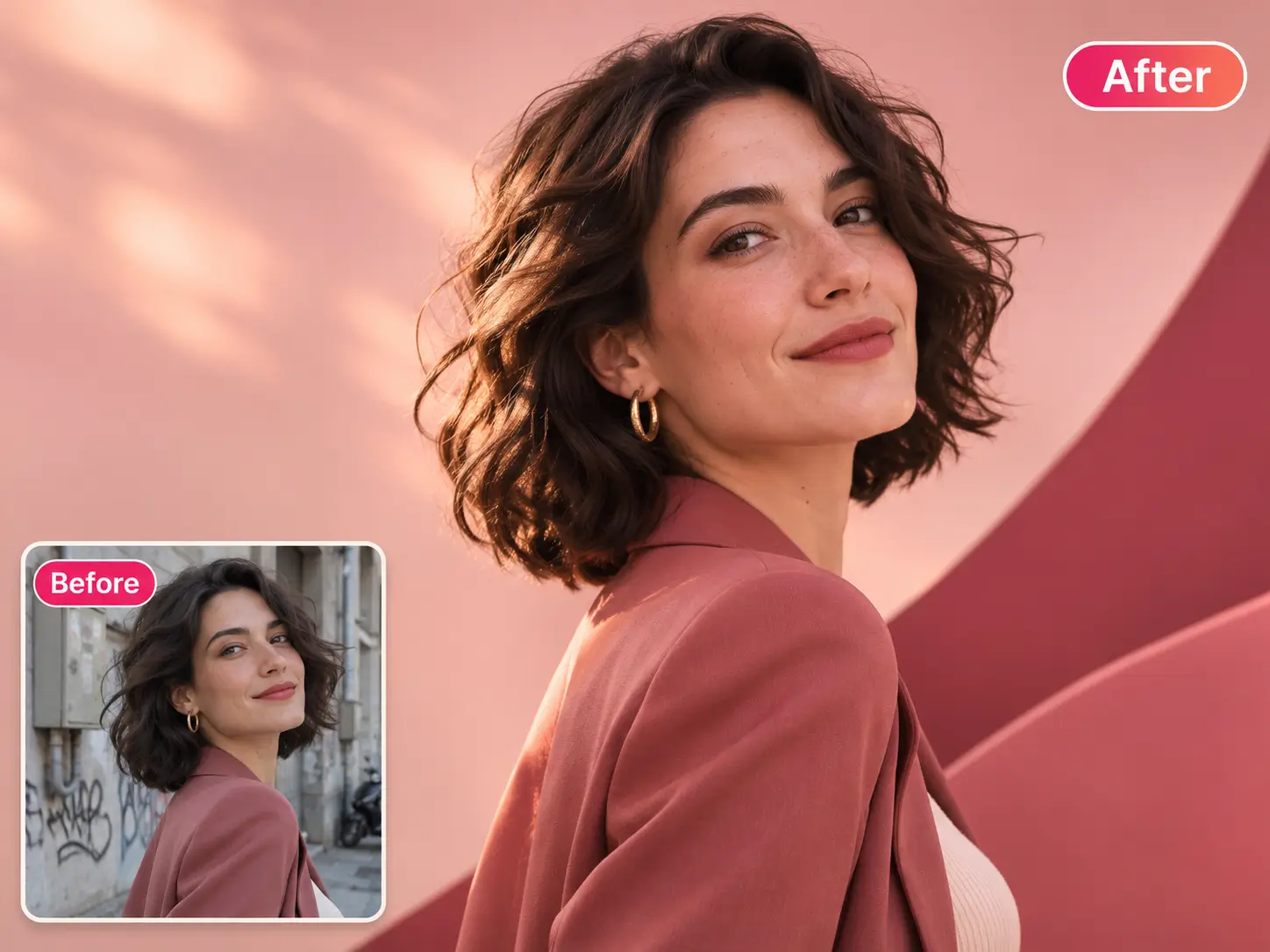
PixEditor AI Playground
Edit Photo with Free Uncensored AI Image Editor
Upload any picture, whether it's one or two, and the free AI photo editor can automate perfect editing without waiting.
Show Cases
See What a Few Words Can Change with Free AI Photo Editor?
Take a look at the effectiveness of AI photo editing capabilities, but it's far more than that.
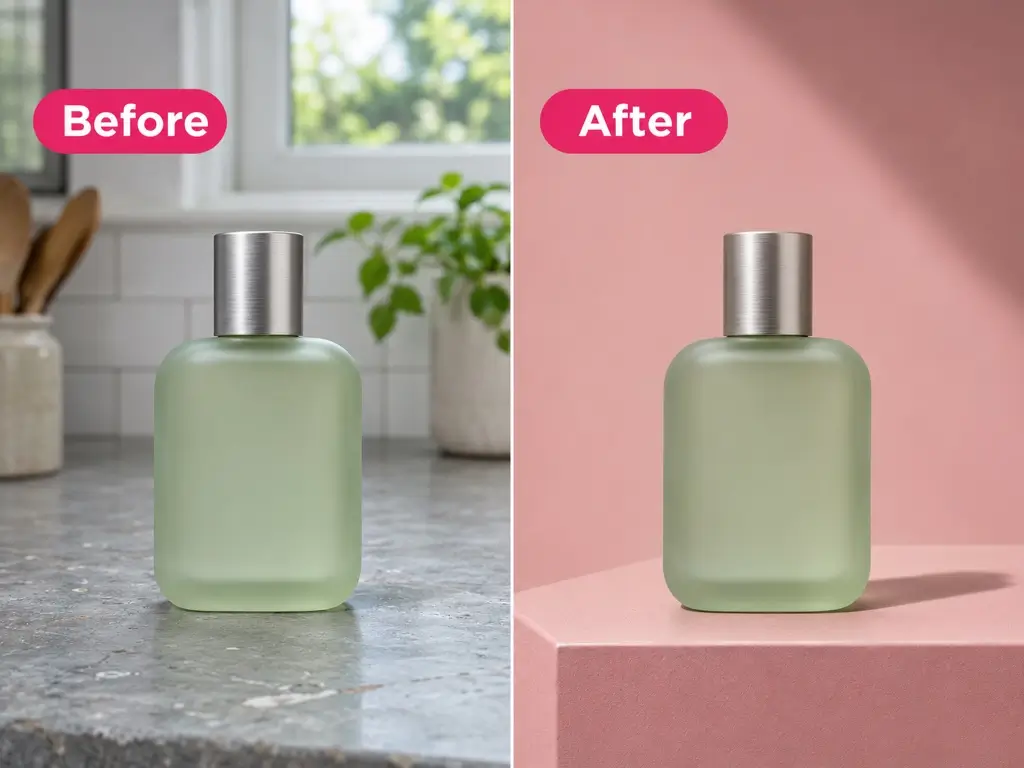
Instantly Remove Background for Product Image
Using our free AI photo editor to reset the background of product photos to fit the brand marketing.
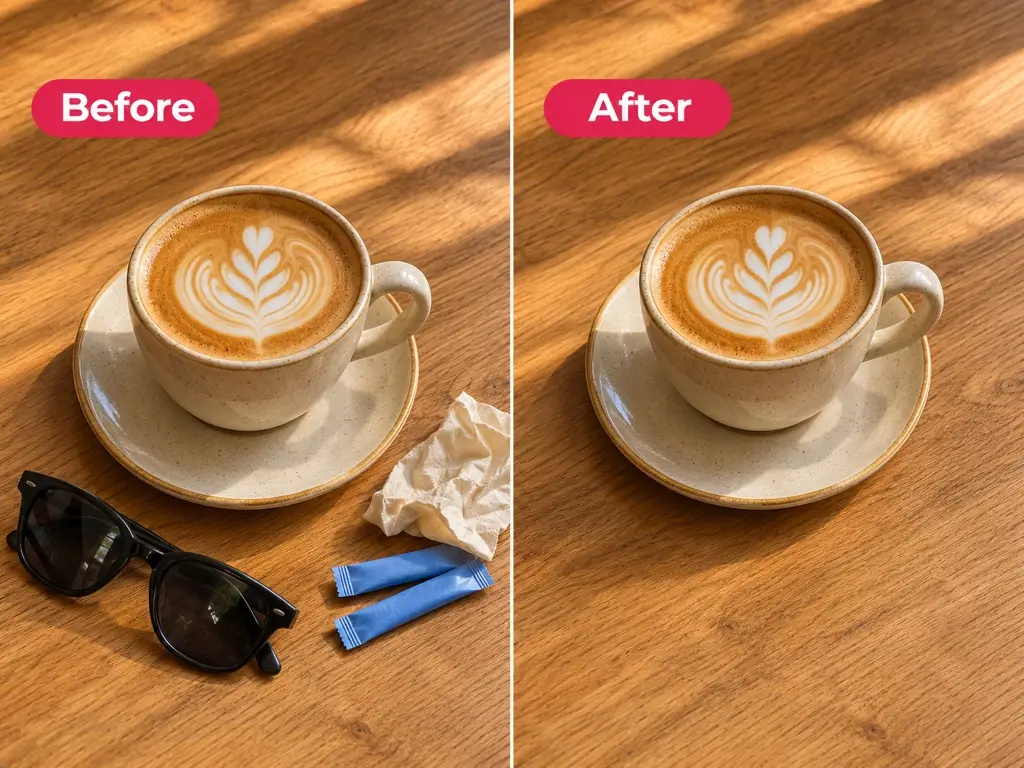
Removing Cluttered Objects Won't Distract You
Let AI pictures editor help you remove scattered objects, logos, or text from photos, watermarks.
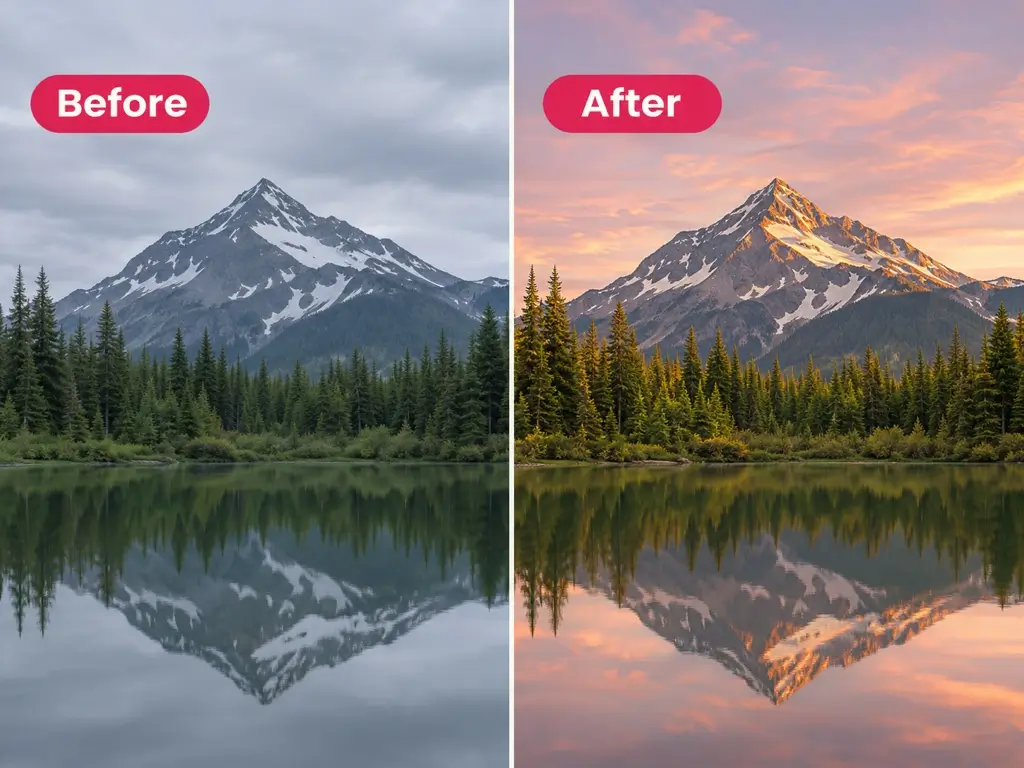
One Click Reconstruction of Your Photos Online
AI photo changer can easily adjust the lighting, color, or different atmosphere of the photo.
Best Tips to Get Better Results with an AI Photo Editor
A good photo AI editing process first requires a clear understanding of what you are changing and trying the following best practice tips to achieve the desired results.
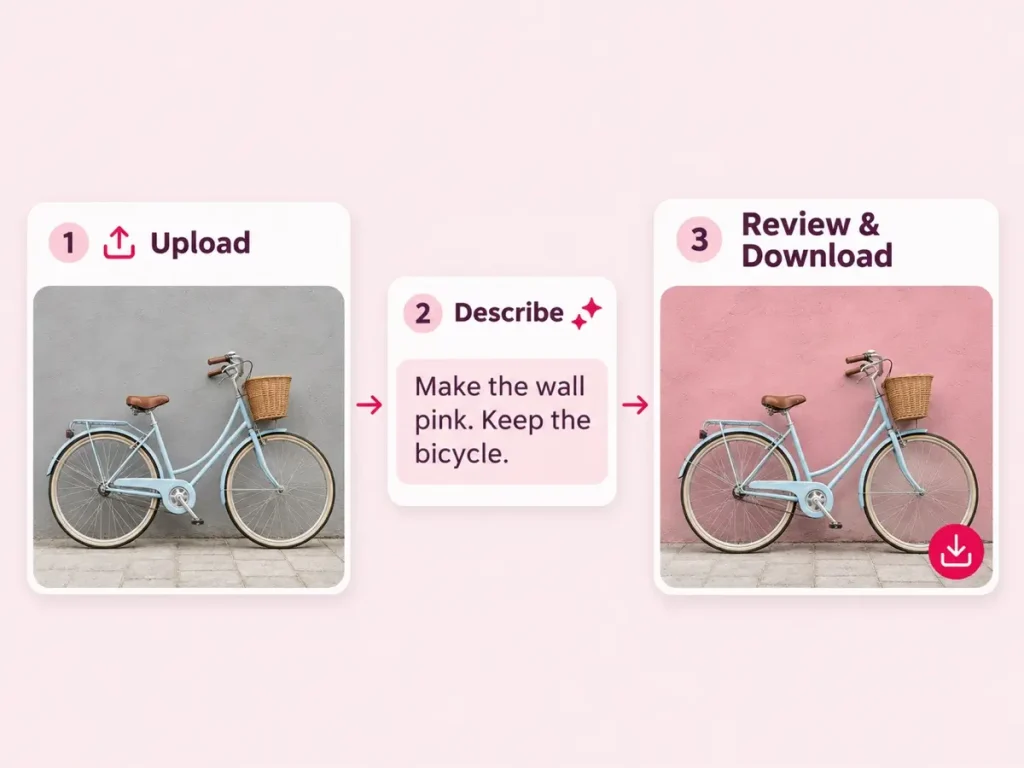
How to Change Original Photo to New Version in 3 Steps?
Using AI photo editor is super easy and does not require any skills to complete.
Step 1 Upload Your Photo
Choose the photo you want to edit, and start opening AI photo editor.
Step 2 Describe the Change
Write what you want to change and what you want to keep. Start with one clear prompts.
Step 3 Review and Dwonload
Check the edited photo, including small details. Adjust your instruction if needed, then download and use it.
Application Scenarios
Where Will Free AI Photo Editor Be Actually Used?
This AI image editor is often used in work and life, including but not limited to the following aspects.
Store Product Photo Editing
We need a cleaner product background and a new product list to adapt to different activities.
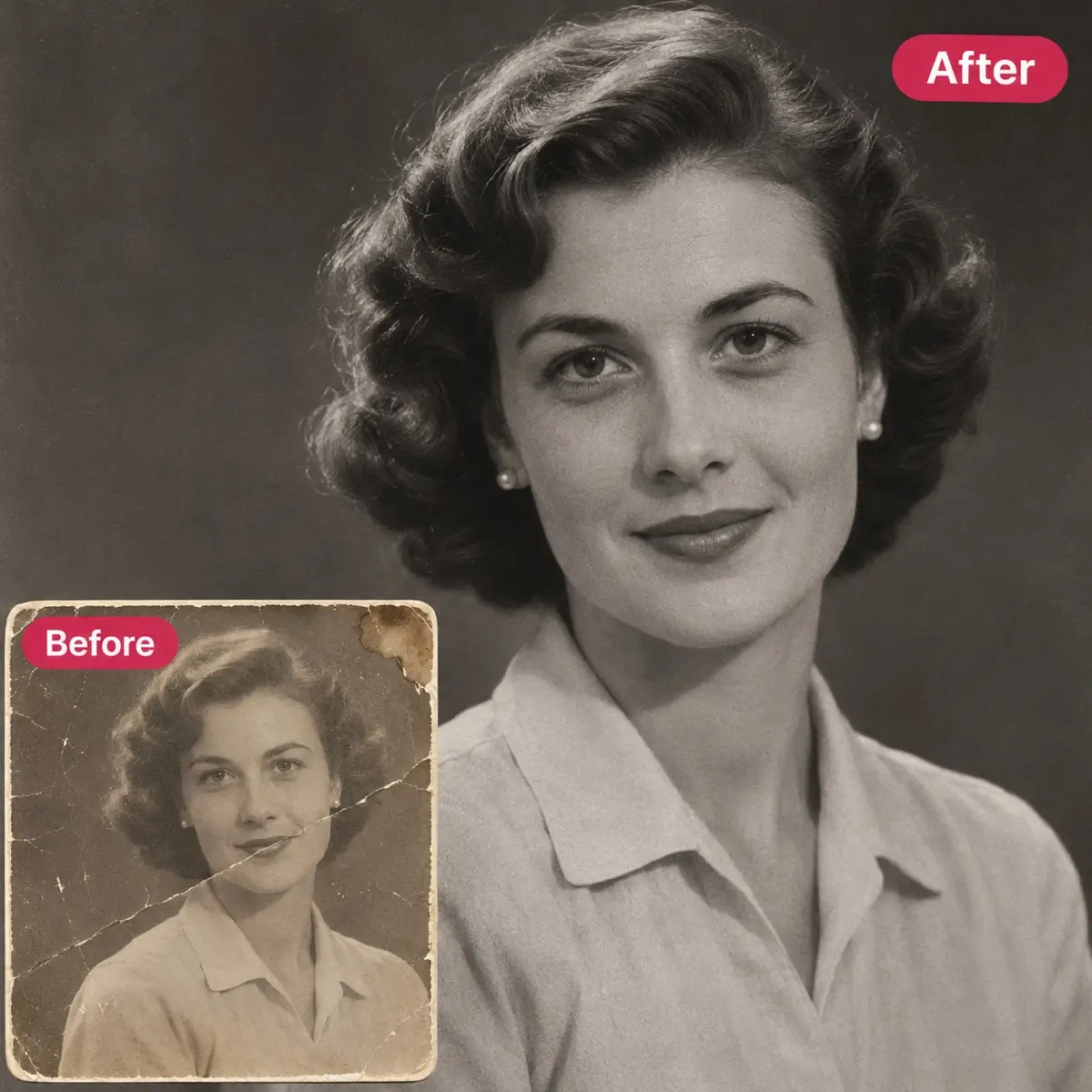
Enhance the Quality of Images
Some photos are blurry because they are not original, and one click AI image editor can enhance details.
Creating Interesting Portraits
Change the photos to different styles or try different appearances to edit your favorite photos.
Edit Social Posts with Accompanying Images
Seamlessly integrate technology, data, and automation to optimize processes.
What Would You Like to Change with Free AI Photo Editor?
Use the AI photo editor for a quick cleanup, a new background, or a different styles. Start with the part of your photo you want to edit.
Edit Images from Text with Free AI Photo Editor
No matter how you want to change the image, tell the AI image editor your thoughts and explain clearly what you want to add, delete, or change. Please note that prompt words can be simple or detailed, preferably with a complete scene description.
Easily Remove Watermarks from Any Photo with AI Image Editor
Whether it is AI images generated by other tools or downloaded poster materials, they will carry watermarks. While ensuring that you have the right to use them, you can use our free AI photo editor to erase the watermark with one click without leaving a trace, making the use smoother.
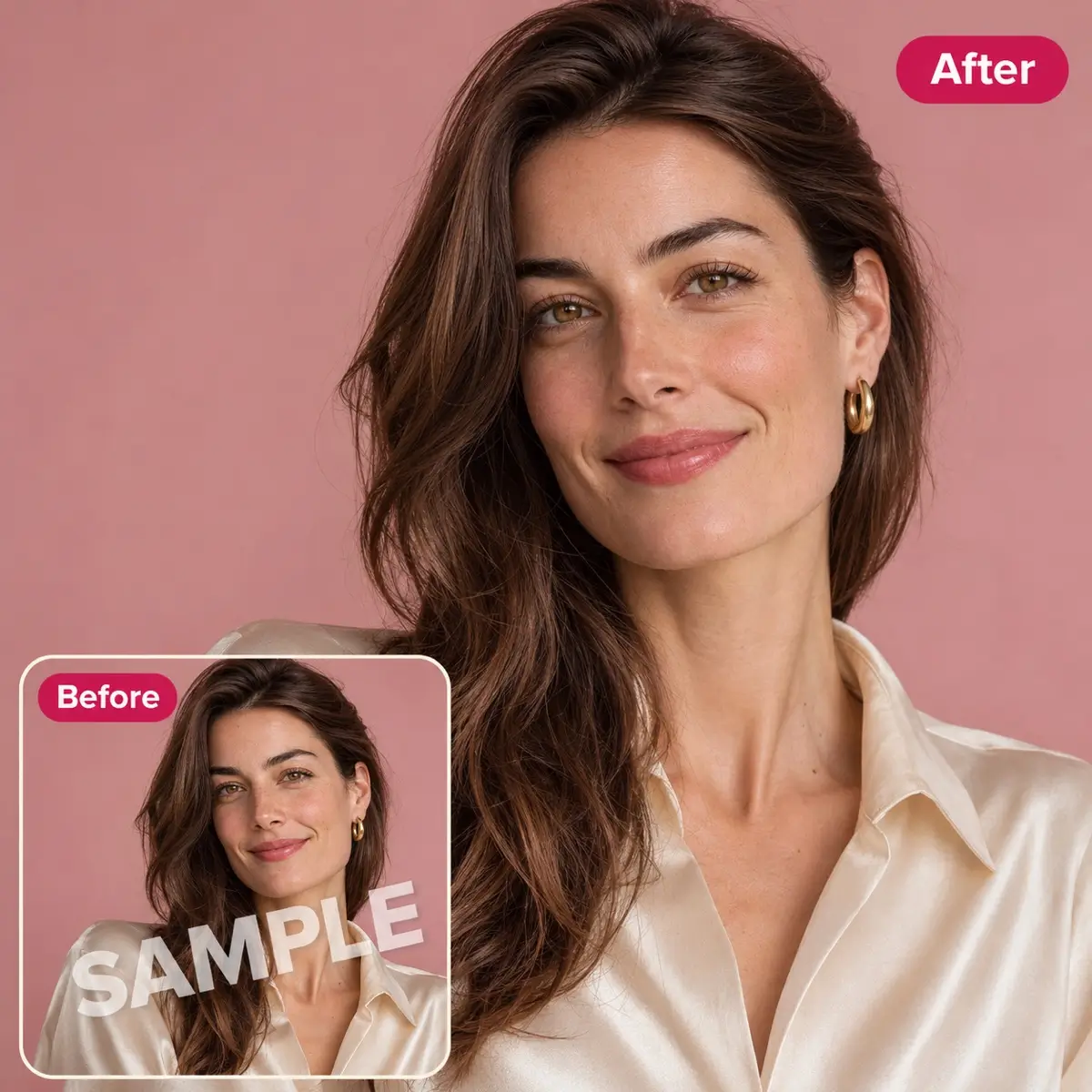
Remove Background and Add A New Backgorund
Our free AI photo editor supports one click background removal. In addition, you can create transparent backgrounds, white backgrounds, green screen backgrounds, or other solid color backgrounds with just one click. If you have a customized background, simply upload and set it up with just one click.
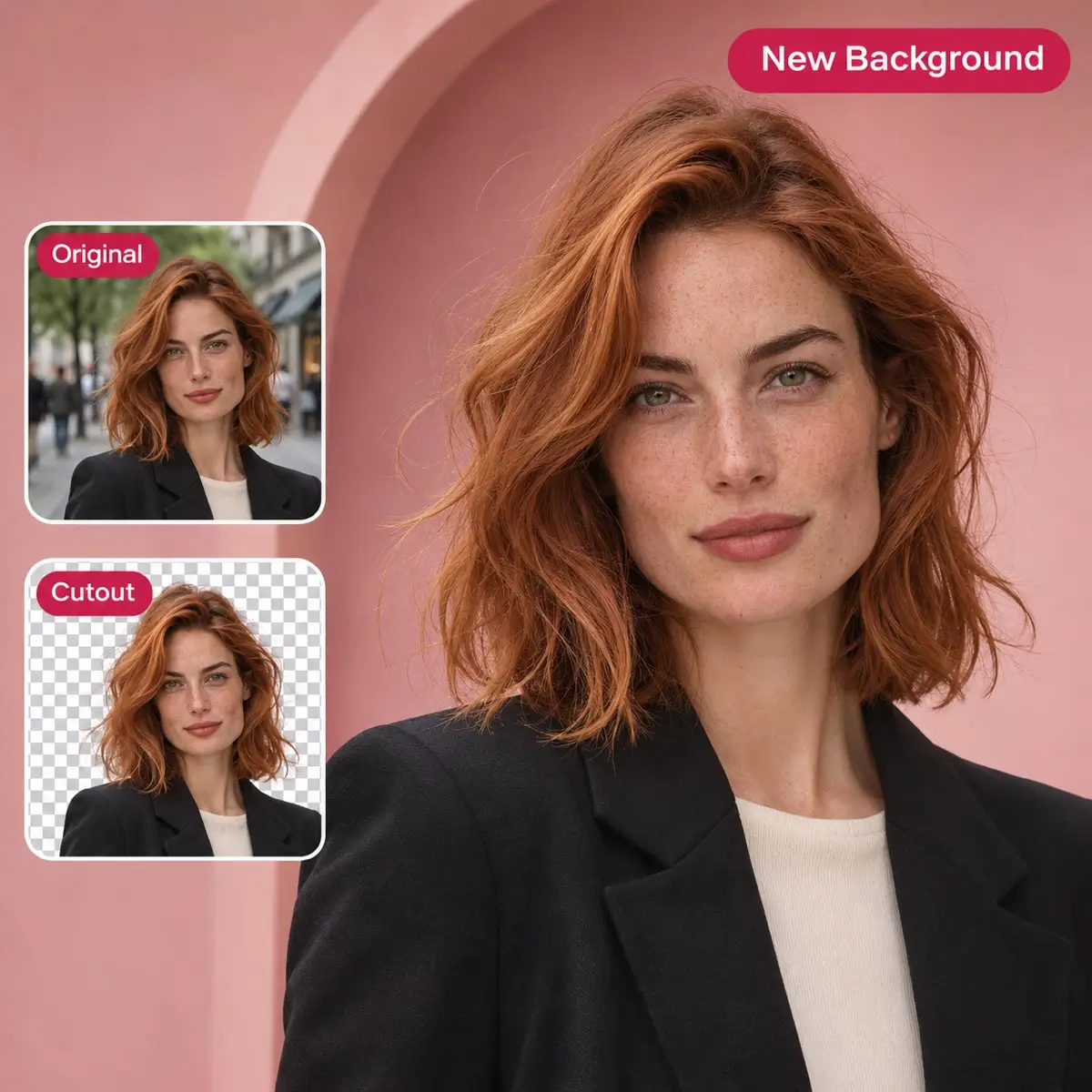
Remove Unwant Objects from Photos with AI Picture Editor
Usually, in our travel photos or selfies, strangers or unrelated items appear. With the free AI photo editor, we can easily clean up distracting objects such as signs, wires, or clutter with just one click. Explain the object and its location, making it easier for AI to follow your instructions.
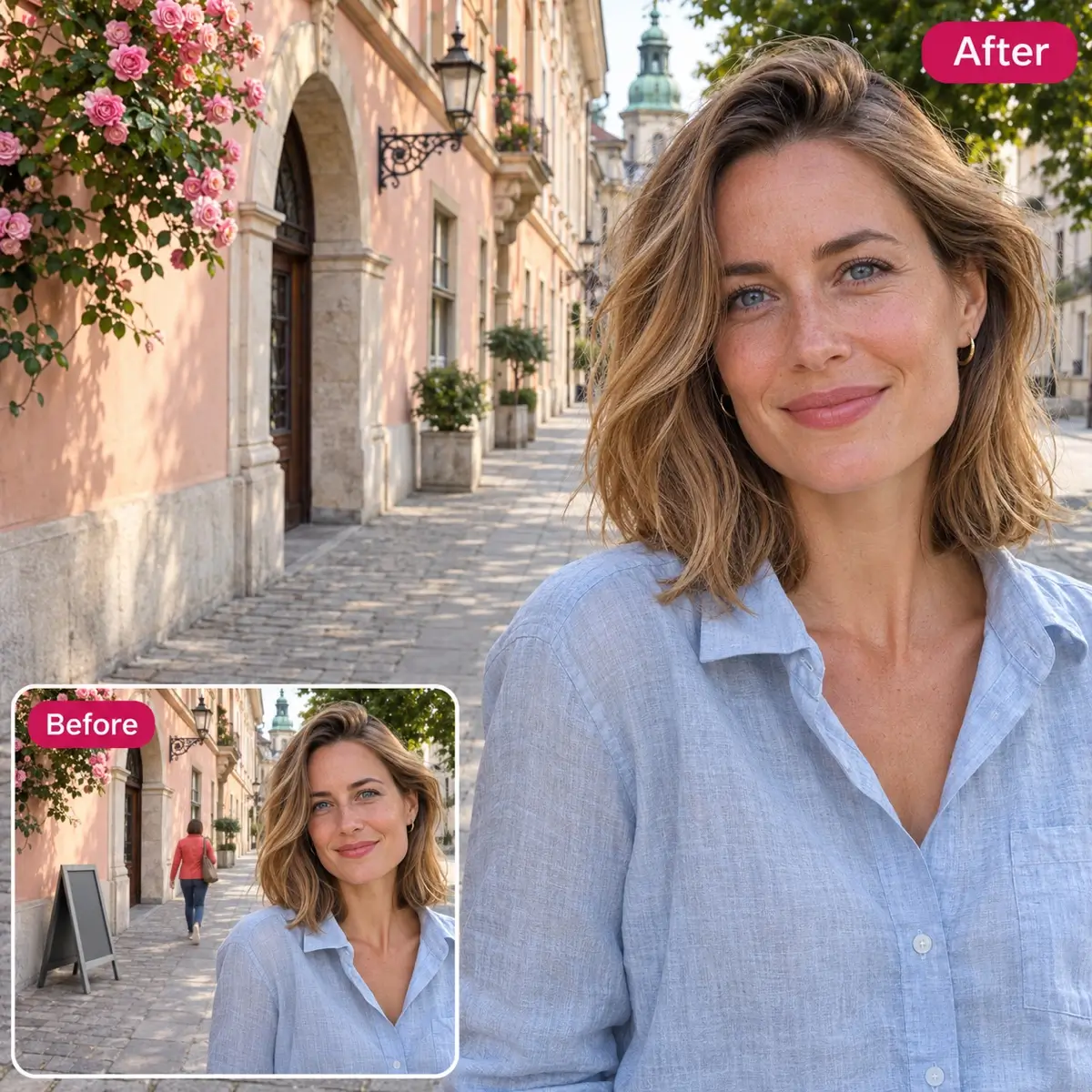
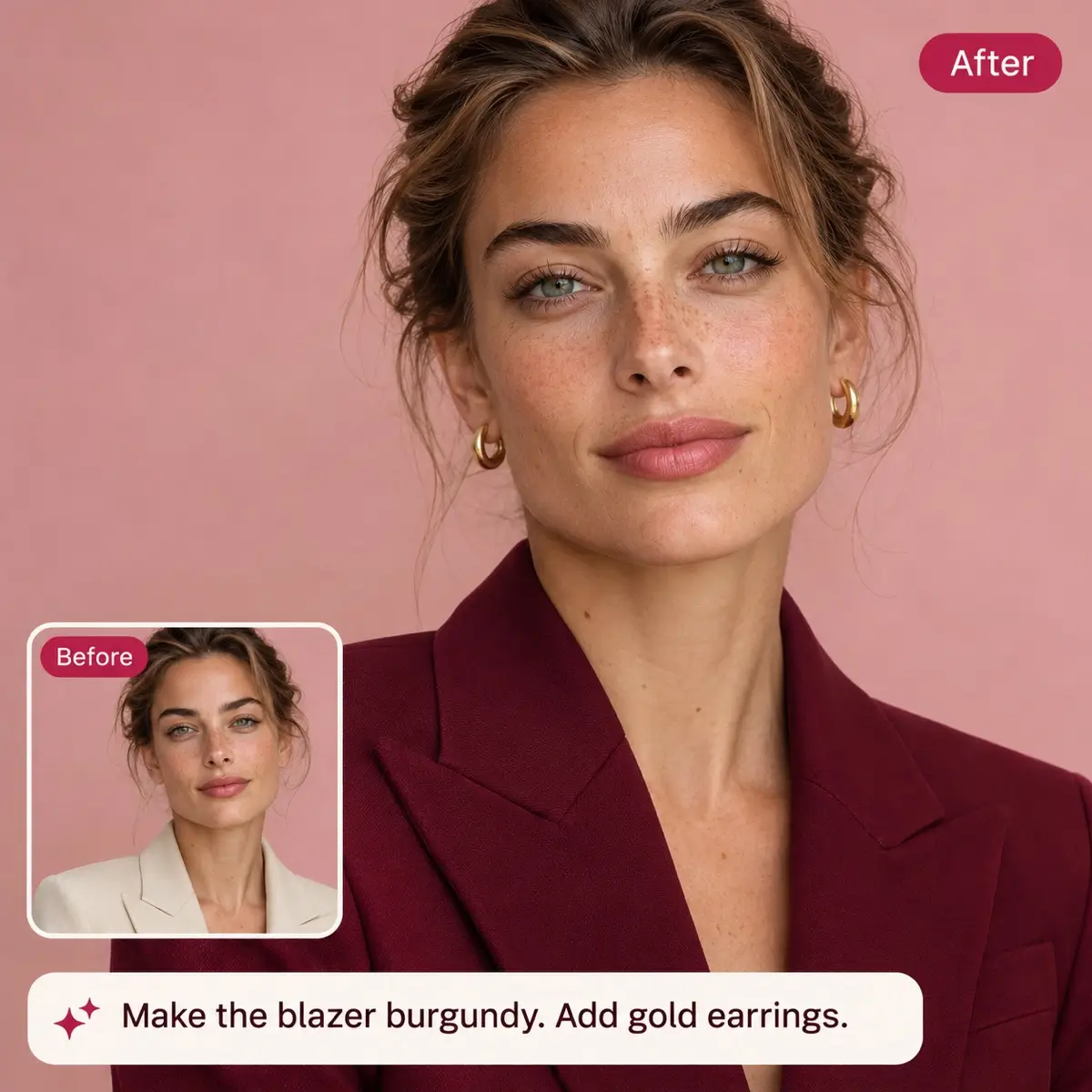
Adjust the Lighting And Color of Images with Photo Editor AI
If you need to adjust the lighting of your photo, or try warmer tones, brighter scenes, or new colors for specific objects. Say any color or detail you want to keep. AI Image Editor can make changes for you immediately.
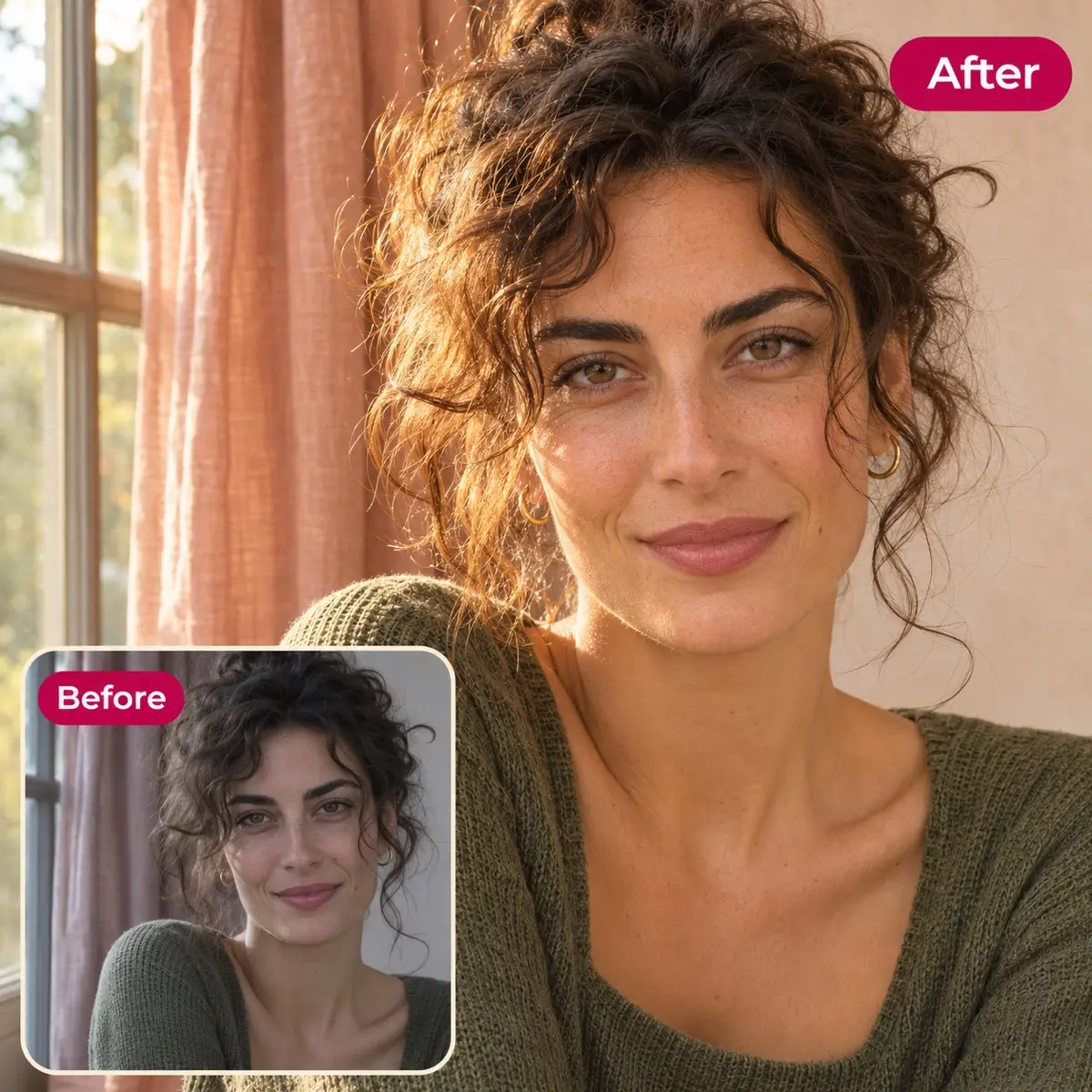
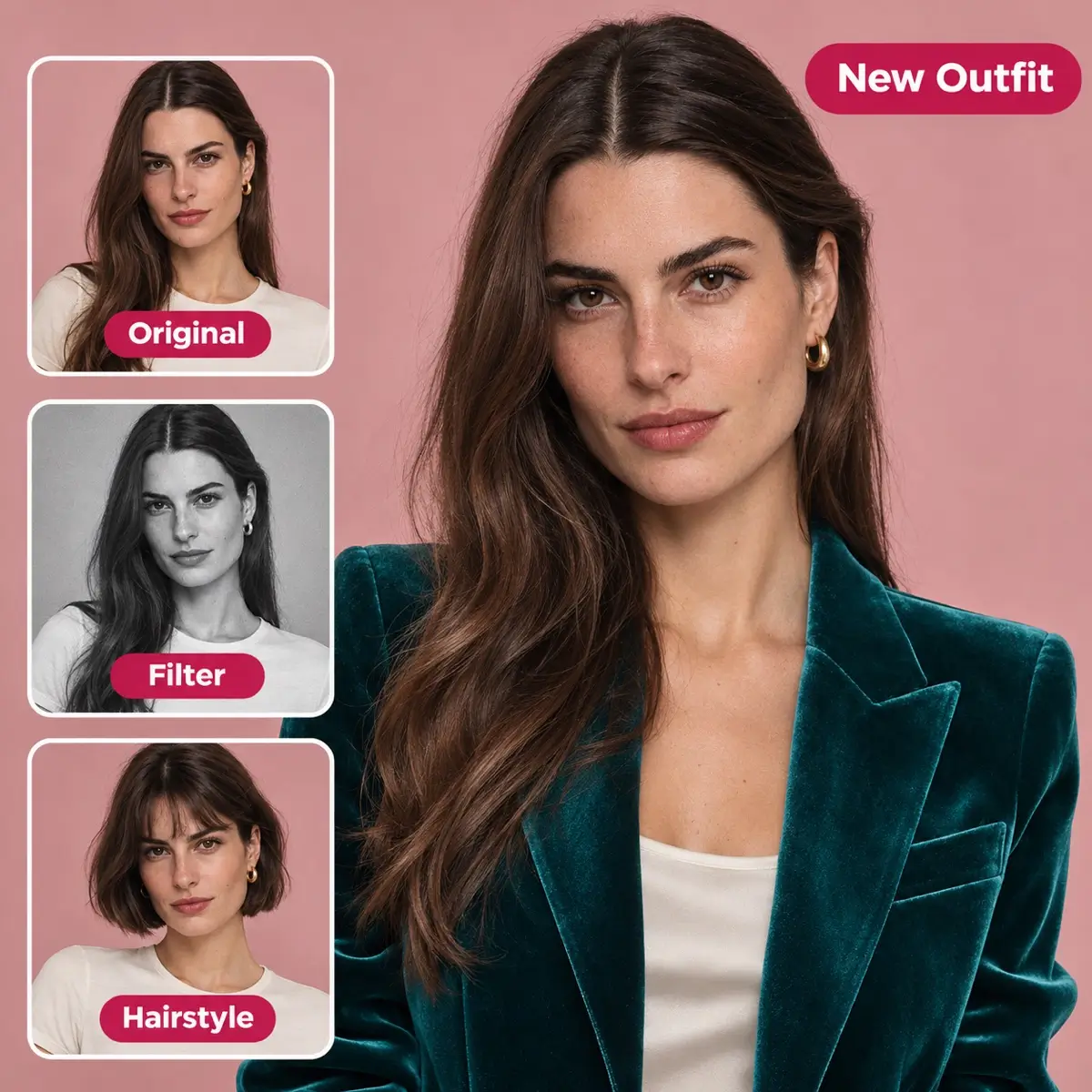
Change photos to different styles with AI Photo Changer
If you want to change the style of the image, you can directly use the built-in filters in our AI photo editor. If you want to change your hairstyle for your photos, you can directly use our AI hairstyle changer. If you want to try it on virtually, just try our AI clothes changer. Try different photo styles and experience a different life.
Customer Testimonials
See How Friends Review Free Photo Editor AI
AI image editing is the most common in daily life, let's take a look at how it improves people's efficiency.
“I sell handmade ceramics, so the photo needs to look better without making the product look different. I use the AI photo editor to try cleaner backgrounds and softer lighting. Before listing anything, I zoom in on the glaze, colors, and edges. Those little details matter when someone is buying something they haven’t seen in person.”
Emily Warter
Online Shop Owner

“Our team usually knows the change we want; explaining it is the awkward part. ‘Less clutter, warmer light, more room for the headline’ is how we actually talk. Being able to edit photos with artificial intelligence using those instructions helps us explore options. We review the result together before choosing anything for a campaign.”
Ethan Marker
Small Business Marketer
“Some weeks I have plenty to post and barely any new photos. An AI picture editor gives me another way to work with what I already have. I can try a different backdrop or color palette and see whether it fits the post. I’d rather have a few useful variations than dozens of images that all feel the same.”
Lucas Cennett
Content Creator
“For me, the best AI photo editor is one that helps me explore an idea without losing control of the image. I use AI photo editing for early concepts, different settings, lighting, and visual directions. Then I check the details myself. It’s useful when a client needs to see what ‘a warmer, less formal look’ could actually mean.”
Olivia Yayes
Freelance Designer
“I don’t edit pictures often enough to justify another subscription. What I want from a free AI photo editor is simple: let me try a small change and tell me clearly what I can download. Usually, I’m just removing something distracting from a family photo. I don’t need a whole new picture—just a tidier version of the one I love.”
Daniel Drooks
Personal Photo User
“I make slides for class, and finding a picture is often easier than making it fit the lesson. A photo AI editor is useful for simplifying a busy background or adjusting colors so labels are easier to read. I still check that the edit hasn’t changed anything important, especially when the image is supposed to explain a real subject.”
Sophia Titchell
Teacher / Student
Help Center
PixEditor AI Photo Editor FAQs
Read about our photo editor AI introduction, services, and security solutions. If you still have any questions, please email us.
PixEditor AI photo editor is an online tool based on AI to help modify existing photos. Just enter the prompt to edit.
Yes, it is 100% free to use without any restrictions.
Upload your photo, describe the changes you want, and generate an edit. View the results, optimize the prompts as needed, and then download the final version.
Yes. AI can recognize everyday language normally.
No need, simply open the browser on any device and enter the domain name to use.
It may alter other parts of the photo. Therefore, include saving instructions in the prompt and carefully examine the results, especially facial, text, logo, and product features.
Supports formats including but not limited to JPG, PNG, and WEBP.
Sure, please ensure that you have photo editing permission before editing photos.
Don't worry, it will be permanently deleted after 24 hours and will not be used for third-party purposes.
Have a Photo in Mind? Start Editing Photo with AI
Jsut upload your photo to AI photo editor, describe one change, and see where your next edit you want.